How to make a sign people notice, in about a minute
Ad-free post. SeeMe City sells signs on its street; this post explains how it works.
In short: The SeeMe City sign maker turns your name, a style, a color palette and a logo into a finished sign in about a minute, and you see it on the building as you type. Signs people notice have a short name, strong contrast, one offer and a night look that still reads.
How does the SeeMe City sign maker work?
The sign maker turns your name, a style, a color palette and an optional logo into a finished sign, and it shows the sign on your building as you type. In the lease form, choose Make it here. Type your business name, pick one of 7 styles and one of 10 color palettes, and add your logo if you have one. You can change anything before you pay. The whole thing takes about a minute.
The styles are Bold, Tall, Script, Retro, Round, Classic and Neon. A short line under the name is optional.
How short should my business name be?
As short as it can be while still sounding like you. The name box holds up to 28 characters, but the sign shrinks a long name to fit, so a short name gets bigger letters. The sign maker also sets your text in capital letters, which take up room. People see signs small, from down the street.
If your name is long, use the part that customers already say out loud. Before you start, walk the street for a few minutes and notice which signs catch your eye.
Which colors and style should I pick?
Pick the palette you can read fastest at a glance. Each palette pairs a background with a text color, so look at the preview and choose the pair with the strongest contrast, such as dark letters on light or light letters on dark.
For the style, Bold and Tall are usually the easiest to read when small. Script, Classic and Neon have more detail in their letters, so they work best with a short name. If you can't read your sign in one second, change it.
What should the short line say?
One offer or one thing you do, and nothing more. The short line holds up to 40 characters. Lines such as "Open late" and "10% off any drink" fit. A paragraph does not.
Put the details in your coupon, which has its own place for an offer and a code. Visitors find coupons in the Deals list, and our guide to coupons explains how they work.
What goes on the sign, and what goes on the card?
Keep the sign for your name and one short line, and put the details on the card. When someone taps a sign, a card opens with your headline, your coupon and a button to your website. The headline holds up to 60 characters, so use it for what you sell or when you are open.
Should I add my logo?
Yes, if it is simple and it is yours to use. A PNG with a see-through background works best. A clear shape stays readable when the sign is small. If your logo has tiny words in it, leave it out and let your name carry the sign.
How do I check my sign at night?
On the first step of the lease form, press See it at night under the building preview. It switches the preview to night, and See it by day switches it back. The preview stays on your choice while you design your sign.
The street goes neon after dark and signs glow a little, so a sign that reads well in daylight can look different at night. A sign with strong contrast reads well at both times. You can also look at the whole street at night: open the menu, find Time of day and choose Night. Read more about day, night, weather and holidays on Ocean Ave.
How should I use more than one sign?
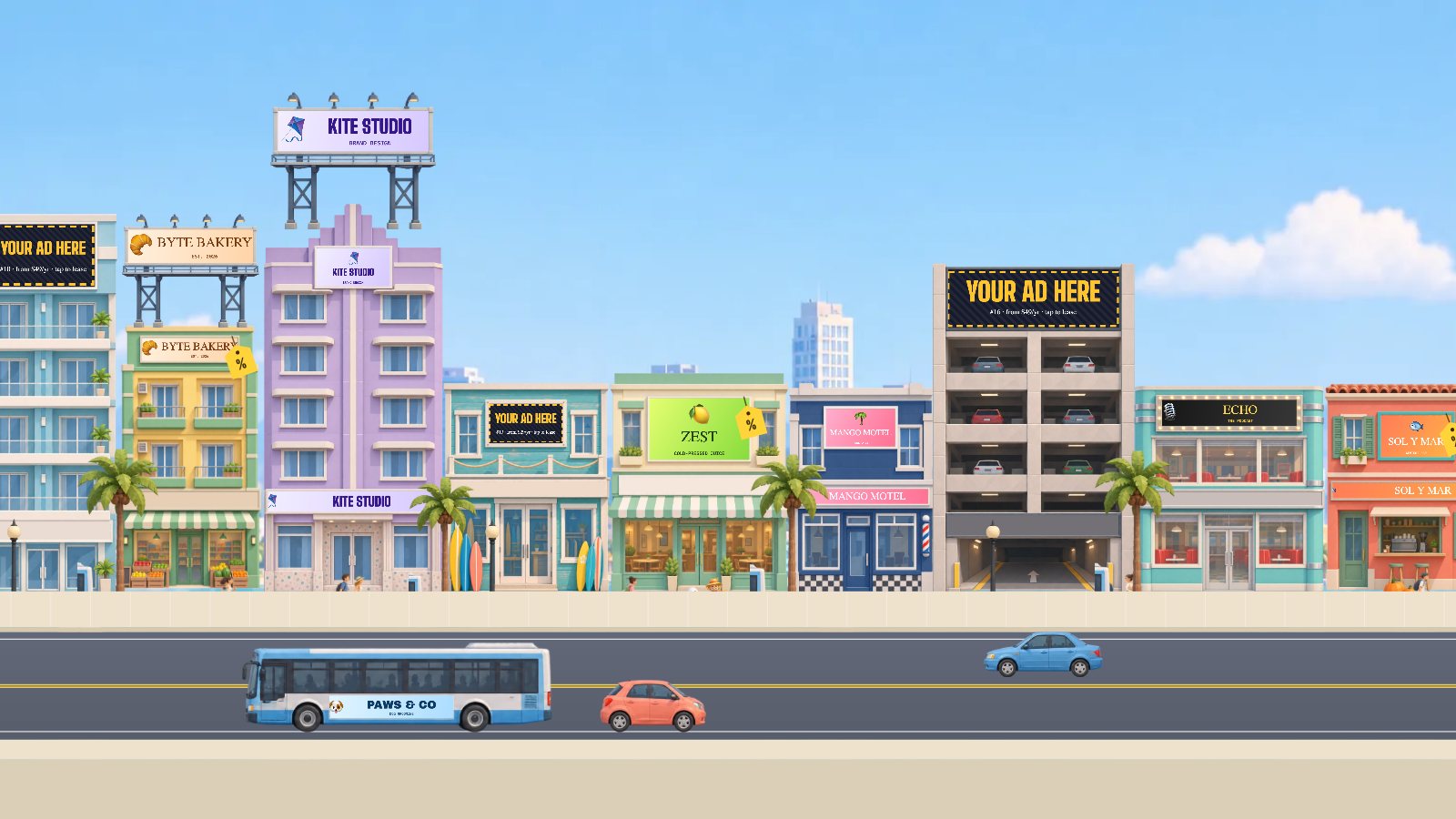
Give each sign one job. Use the main sign for your name, the shop sign over the door for what you sell, and the rooftop billboard, which is seen from far down the street, for your best offer. Each sign can carry its own coupon.
A shop sign adds $10 a year and a rooftop billboard adds $30 a year. See all the prices.
Can I upload my own design instead?
Yes. Choose Upload my design instead of making a sign here. Drag your design to move it, and use the slider to zoom until it fits the sign. The design has to be yours to use, and it has to follow the Ad Rules.
Frequently asked questions
How long does it take to make a sign?
About a minute. Type your name, pick a style and a color palette, and add a logo if you have one. You see the sign on the building as you type.
Do I need a designer?
No. The sign maker sets the layout for you. You can also upload your own design.
Can I change my sign after it goes live?
You can change your coupon any time on your private owner page. To change the sign image, email hello@seemecity.com, and the change goes through a quick check first.
Is every sign checked?
Yes. A person checks every sign before it goes live, usually within a day. If a sign can't be approved, the buyer gets a full refund.
Ready to make yours? Lease a building and start with your name.